
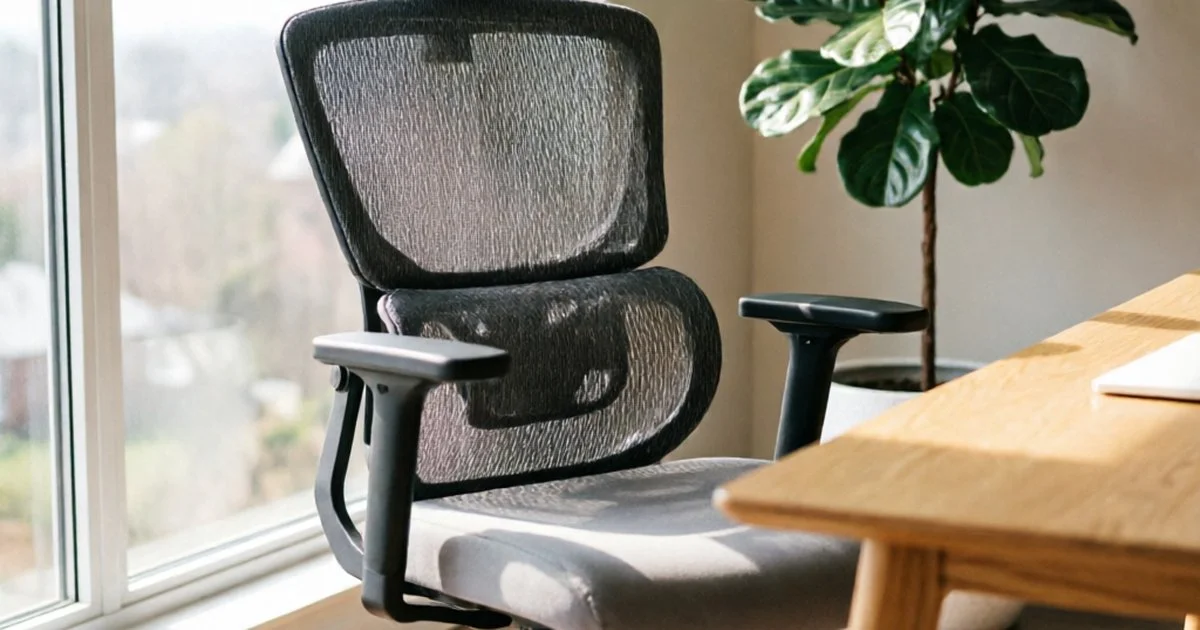
Quick Answer
The SIHOO Doro C300 ($200-250) is the best ergonomic office chair for most buyers.
Its dynamic lumbar support adjusts automatically as you shift posture — making it the best ergonomic office chair for posture variety — a feature usually found on chairs costing twice as much.
With 3D armrests and 5,000+ Amazon reviews at 4.4 stars, it offers the best ergonomic office chair value in the lineup.
For the best budget pick, the Furmax Ergonomic Mesh Chair ($60-80) provides a decent ergonomic office chair starting point with built-in lumbar support and 25,000+ reviews. It lacks adjustability but outperforms flat-back chairs at this price.
For the best premium option, the Autonomous ErgoChair Pro ($300-350) offers full-body adjustability including lumbar depth, headrest angle, armrest direction, and tilt tension. It is one of the most customizable ergonomic chairs available on Amazon.
Comparison Table
| Product | Price | Lumbar Type | Armrests | Weight Cap | Best For | Score | Amazon |
|---|---|---|---|---|---|---|---|
| Furmax | $60-80 | Fixed curve | Flip-up | 250 lbs | Entry-level ergo | B | Buy |
| ELABEST X100 | $100-130 | 3D adjustable | 5D flip-up | 300 lbs | Best value lumbar | B+ | Buy |
| Hbada Flip-Up | $99.00 | 2D adjustable | 3D | 300 lbs | Recline lovers | B | Buy |
| SIHOO Doro C300 | $200-250 | Dynamic | 3D | 300 lbs | Best overall ergo | A | Buy |
| Duramont | $200-250 | 4D adjustable | 3D | 250 lbs | Precision lumbar | B+ | Buy |
| Nouhaus Ergo3D | $250-300 | Click-5 | 4D | 275 lbs | Armrest lovers | B | Buy |
| Autonomous Pro | $300-350 | Depth + height | 4D | 300 lbs | Full adjustability | B+ | Buy |
| Marsail | $350-450 | Adaptive | 3D | 300 lbs | Premium build | C+ | Buy |
Best Ergonomic Office Chairs — Full Reviews
We evaluated eight ergonomic office chairs from $60 to $450 based on lumbar adjustability, armrest range, recline mechanics, and real-world owner feedback from thousands of verified Amazon reviews. The key differentiator in this lineup is lumbar support type — from fixed curves to dynamic auto-adjusting systems.
1. Furmax Ergonomic Mesh Office Chair — Best Budget Entry ($60-80)
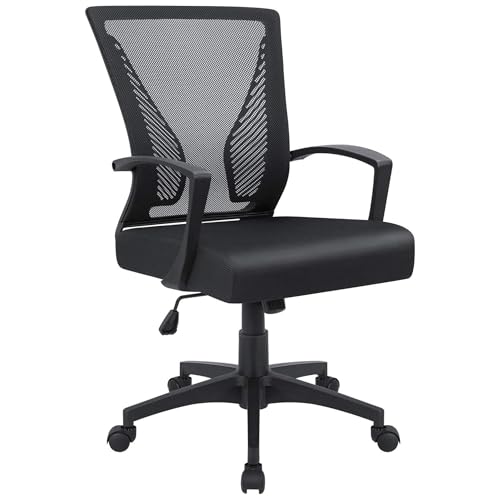
The Furmax has been a consistent Amazon best-seller with. Its mid-back mesh design includes a built-in lumbar curve that provides basic lower back support without any adjustability.
Simple and quick to assemble. Most owners report 15-20 minutes from box to sitting. The breathable mesh back keeps you cool during summer months, and the flip-up armrests let you push the chair under a desk when not in use.
Fixed lumbar is hit-or-miss. The curved back cannot be adjusted in height or depth.
If the curve aligns with your spine, it feels supportive. If it does not, you are stuck with it. This is the fundamental limitation of any ergonomic office chair at this price point.
Not for long sessions. The seat padding is thin — adequate for 2-3 hours but insufficient for full-time work. The 250 lb weight capacity is also optimistic based on owner feedback.
Verdict: The cheapest way to get a curved-back chair with armrests and mesh. Acceptable for a spare desk or part-time use, but not suitable as a daily driver for 8-hour workdays.
2. ELABEST X100 Ergonomic Mesh Chair with Footrest — Best Value Lumbar Support ($100-130)
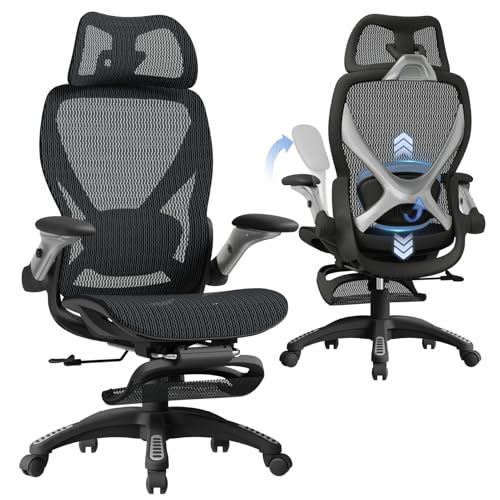
The ELABEST X100 is one of the few chairs under $130 that offers 3D adjustable lumbar support. You can change lumbar height, depth, and firmness — a feature typically reserved for $200+ ergonomic chairs.
Retractable footrest is a rare bonus. Flip it out to elevate your legs during breaks, then stow it under the seat when working. The 5D flip-up armrests also adjust in more directions than most chairs at this price.
3D lumbar is the standout feature. Being able to position support precisely where your lower back needs it makes a significant difference for people with chronic discomfort. The adjustment knobs are accessible while seated.
Build quality matches the price. The mesh is less taut than premium options, and the gas cylinder has mixed long-term reviews. Some owners report the footrest mechanism feeling flimsy after several months.
Verdict: The best lumbar adjustability per dollar in this lineup. If adjustable lumbar is your top priority and your budget is tight, this chair delivers more ergonomic features than anything else at $100-130.
3. Hbada Flip-Up Chair — Best for Reclining ($99.00)
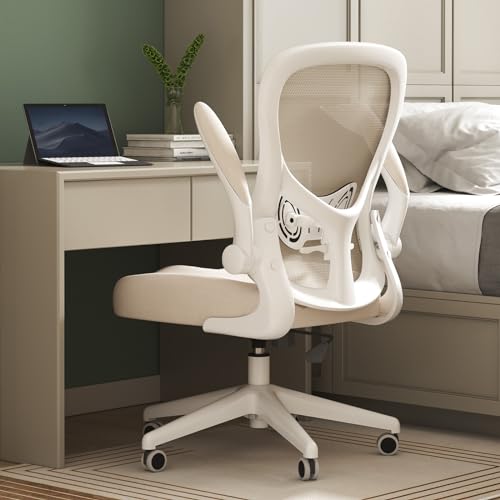
The Hbada Flip-Up features a 145° stepless tilt function — meaning you can lock the backrest at any angle, not just preset notches. This is a genuine ergonomic office chair feature for people who alternate between upright work and leaned-back thinking or reading.
2D adjustable lumbar support lets you set both height and forward pressure. The headrest also adjusts to follow your neck through the full recline range, maintaining cervical support at every angle.
Stepless tilt is rare at this price. Most chairs in the $150 range offer 2-3 locked positions. The chair’s continuous tilt range lets you find your exact comfort angle and lock it there.
No footrest included on this model. If you want the full lean-back experience, you will need a separate ottoman or footrest. The Hbada Flip-Up focuses its budget on the recline mechanism rather than accessories.
Verdict: The best ergonomic office chair for people who recline frequently throughout the day. The stepless tilt combined with 2D lumbar makes it uniquely comfortable for posture-shifting workers.
4. SIHOO Doro C300 Dynamic Lumbar Chair — Best Overall Ergonomic Value ($200-250)
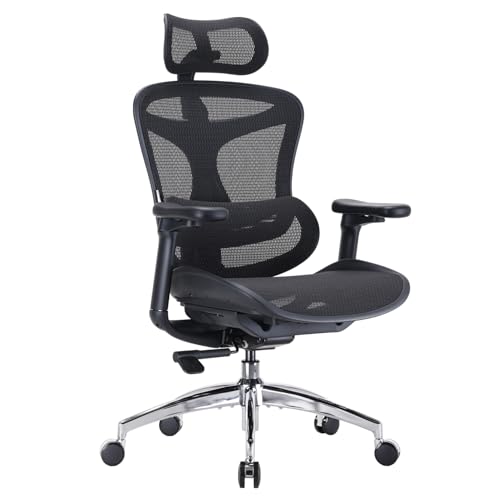
The Doro C300 features SIHOO’s dynamic lumbar support system — it moves with your body as you shift between upright, forward-leaning, and reclined postures. This auto-adjustment is a feature normally found on ergonomic chairs in the $500+ range.
Dynamic lumbar is a game-changer for long sessions. Instead of manually adjusting lumbar depth every time you change position, the C300’s lumbar panel responds automatically. It pushes forward when you slouch and eases off when you sit tall.
3D armrests adjust in height, forward-back, and side-to-side directions. The ultra-soft armrest pads are more comfortable than typical hard plastic, reducing elbow and forearm fatigue during long typing sessions.
4.4 stars across 5,000+ reviews. Owners consistently highlight the lumbar system and the wide, supportive seat cushion. The adjustable backrest angle adds another layer of customization.
Seat cushion is firm. SIHOO uses high-density foam that prioritizes support over plushness. If you prefer a softer sit, the Duramont’s memory foam seat may be a better match.
Verdict: The best ergonomic value overall. Dynamic lumbar support at $200-250 is exceptional, and the 3D arms plus adjustable backrest make this the most complete ergonomic package in the mid-range tier.
5. Duramont 4D Lumbar Ergonomic Chair — Best Precision Lumbar ($200-250)
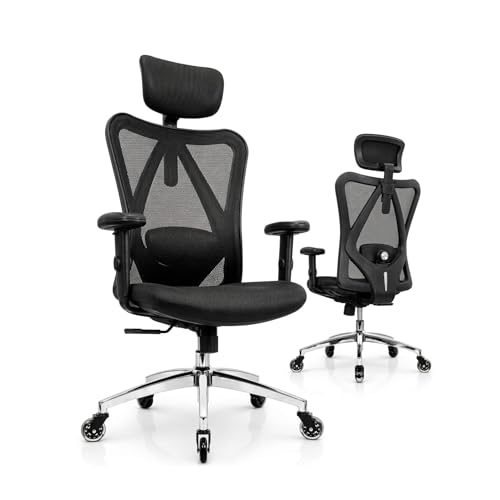
The Duramont stands out with 4D lumbar support — adjustable in four dimensions including height, depth, tilt angle, and tension. This is the most granular lumbar adjustment in the lineup, and it comes with a memory foam seat cushion that adds comfort.
Rollerblade-style wheels are a premium touch not found on any other chair in this list. They roll smoothly on both carpet and hard floors without scratching surfaces.
Memory foam seat cushion provides a different feel from the mesh seats common in this price range. It conforms to your body shape and distributes weight more evenly, which helps during extended sitting sessions.
4D lumbar takes time to dial in. With so many adjustment options, finding the right configuration requires experimentation. Some owners report spending a week before settling on their ideal settings.
250 lb weight capacity is limiting. Despite the ergonomic features, the weight rating is lower than competitors at this price. The SIHOO Doro C300 supports 300 lbs at the same cost.
Verdict: The best chair for people who want maximum lumbar fine-tuning. If you have specific lower back needs that require precise support positioning, the 4D system plus memory foam makes this a compelling choice.
6. Nouhaus Ergo3D Office Chair — Best Armrest Adjustability ($250-300)
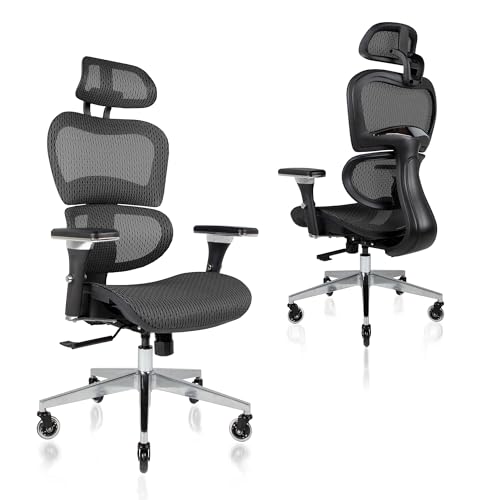
The Nouhaus Ergo3D is built around its 4D adjustable armrests — they move up/down, forward/back, left/right, and pivot inward/outward. For users whose arm position is critical to their setup (programmers, designers, writers), this level of armrest customization is hard to find under $300.
Click-5 lumbar support system uses a ratcheting mechanism with five preset positions. It is not as smooth as the SIHOO Doro C300’s dynamic system, but the tactile clicks make it easy to return to a preferred setting.
3D adjustable headrest moves in more directions than typical up/down headrests. Combined with the tilt function, the Ergo3D supports your head and neck through a range of postures.
Dual-wheel casters provide better stability than standard single-wheel designs. The chair feels planted even when leaning to one side.
Firmer than expected. Multiple owners describe the seat as firm, even with the mesh construction. This is by design — the Ergo3D prioritizes postural support over cushion softness.
Verdict: The best ergonomic chair for armrest-dependent users. If your elbows, forearms, and wrists need precise support positioning, the 4D armrests on the Ergo3D deliver more adjustability than anything else at this price.
7. Autonomous ErgoChair Pro — Best Full Adjustability ($300-350)
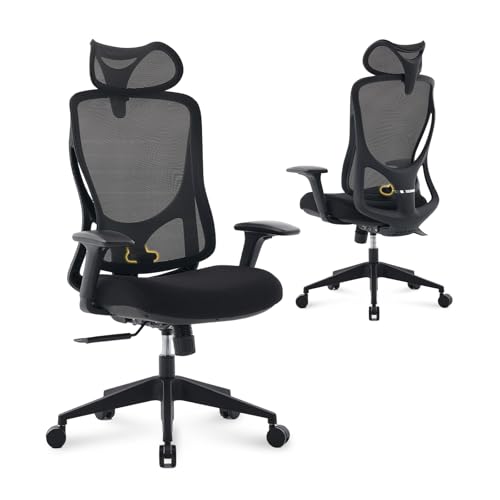
The ErgoChair Pro from Autonomous is one of the most adjustable ergonomic chairs available on Amazon. Every contact point adjusts: lumbar height and depth, headrest angle and height, armrest height and direction, seat tilt, and backrest recline tension.
Known from YouTube and TikTok reviews. The ErgoChair Pro has been widely reviewed by tech creators, which gives it more third-party video evidence than most Amazon ergonomic chairs. You can find dozens of detailed setup and long-term review videos.
Full-range lumbar adjustability lets you set both how high the support sits and how far forward it pushes. The adjustment is smooth, not ratcheted, so you can fine-tune to the millimeter.
Black foam seat provides a middle ground between hard mesh and squishy cushion. It has enough give for comfort but maintains support throughout the day.
Assembly requires patience. With so many adjustable parts, setup takes longer than simpler chairs. Budget 45-60 minutes and follow the instructions carefully.
Not as premium as the price suggests. At $300-350, some owners expected materials closer to Herman Miller quality. The plastic components and mesh tension are good but not exceptional for this price tier.
Verdict: The most comprehensive adjustability in the lineup. If you want to control every aspect of your chair’s ergonomic setup, the ErgoChair Pro gives you more knobs and levers than any competitor at this price.
8. Marsail High Back Mesh Ergonomic Chair — Best Premium Build ($350-450)
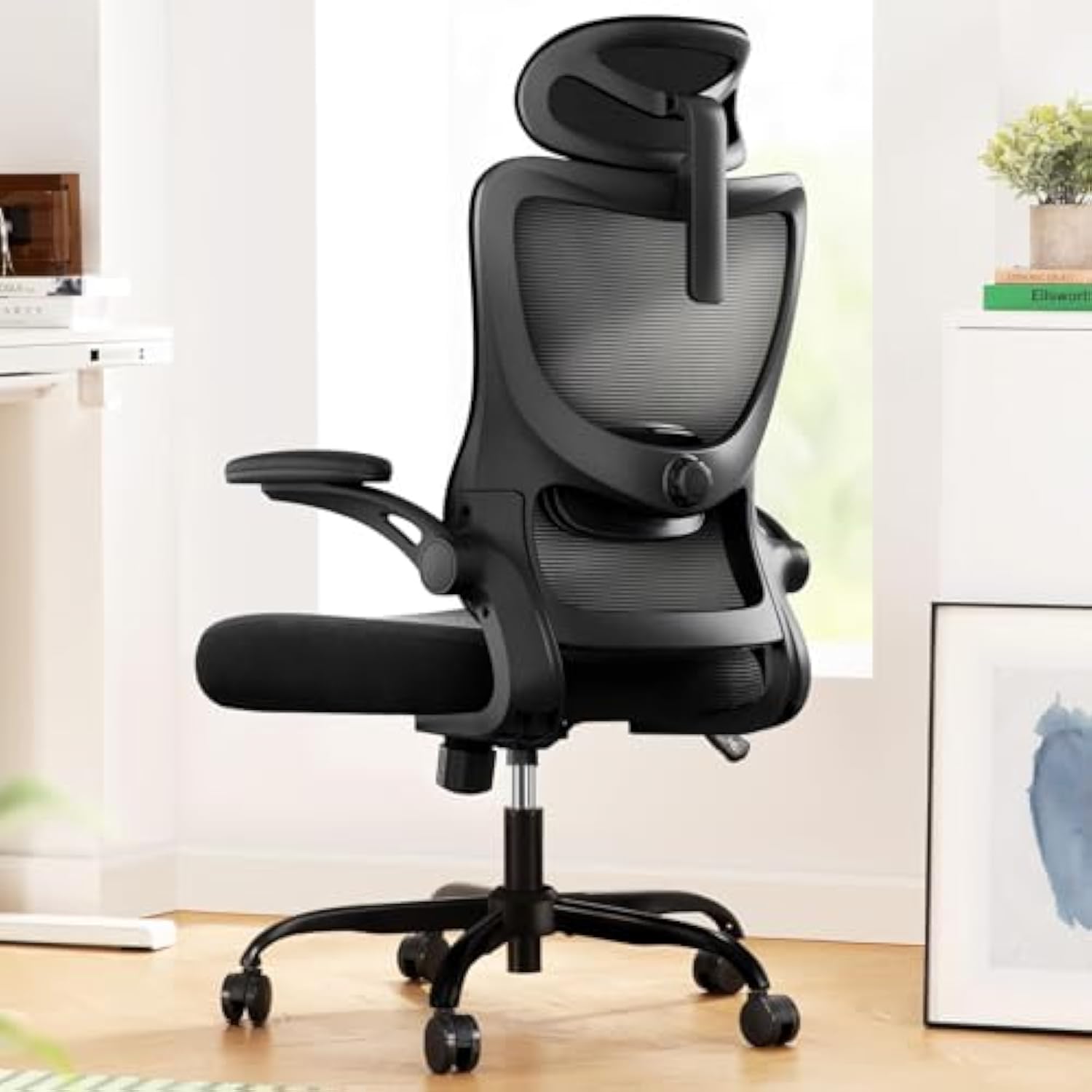
The Marsail sits at the top of this lineup with adaptive lumbar support, 3D armrests, an adjustable headrest, and a high-back mesh design with premium materials throughout. It competes with the ErgoChair Pro on features but uses higher-grade components.
Adaptive lumbar support bridges the gap between manual adjustment and the SIHOO Doro C300’s fully dynamic system. It responds to pressure changes but with more resistance and stability than purely dynamic designs.
3D armrests with quality padding. The armrest pads are thicker and softer than most competitors, which reduces forearm fatigue during long sessions. The adjustment mechanisms feel solid with no wobble.
Premium mesh tension across both the back and seat. The mesh has a tighter weave and more consistent tension than budget options, providing even support without pressure points.
3,000+ reviews at 4.3 stars. Owners highlight the build quality and the lumbar system. The high back provides full spine support from sacrum to shoulders.
Price is a barrier. At $350-450, the Marsail competes with refurbished Herman Miller and Leap chairs. You are paying a premium for new-with-warranty versus a potentially better chair on the used market.
Verdict: The best-built ergonomic chair in this lineup with premium materials and adaptive lumbar. A strong choice if you want new-chair reliability with near-premium ergonomic features.
How to Choose the Best Ergonomic Office Chair
Lumbar Support Type: The Most Important Feature
This is the single most important ergonomic office chair feature. There are four tiers:
-
Fixed lumbar (Furmax) — a curved back with no adjustment. Works or does not, depending on your spine.
-
Adjustable lumbar (ELABEST, Hbada Flip-Up, Duramont) — manually set height and/or depth. Best for people who know exactly where they need support.
-
Dynamic lumbar (SIHOO Doro C300) — moves with you automatically. Best for posture-shifters who change positions throughout the day.
-
Adaptive lumbar (Marsail) — responds to pressure with more stability. Best for people who want some auto-adjustment without the movement of dynamic systems.
Spend more to get at least adjustable lumbar. Fixed lumbar is a gamble on your body shape.
Armrest Dimensions: More Than Just Height
Basic armrests adjust up and down. 3D armrests add forward-back and pivot. 4D armrests add left-right width adjustment.
If you type all day, 3D or 4D armrests matter because your elbows need support at the exact height and angle of your keyboard. The Nouhaus Ergo3D’s 4D arms are the gold standard in this lineup.
If you mostly mouse and read, basic flip-up arms (Furmax, ELABEST) work fine since you are not resting your elbows for extended periods.
Seat Material: Mesh vs Foam vs Memory Foam
Mesh seats (SIHOO, Nouhaus, Marsail) breathe well but can feel firm. They distribute weight evenly but some owners find them uncomfortable after 4+ hours.
Standard foam (Hbada Flip-Up, Autonomous) is softer initially but compresses over months. Memory foam (Duramont) provides the most even weight distribution and retains its shape longer.
For hot offices, mesh is better. For long sitting sessions, memory foam is better. For a balance, standard foam with mesh back works well.
Recline Mechanism: Stepless vs Notched
Stepless recline (Hbada Flip-Up) lets you lock at any angle. Notched recline (most others) offers 3-5 preset positions. If you recline frequently to different angles, stepless is worth the premium.
Tilt tension control (Autonomous ErgoChair Pro) lets you adjust how much effort it takes to lean back. This matters if you are lighter — a heavy tension setting makes it impossible to recline comfortably at 130 lbs.
Weight Capacity: Read Between the Lines
Manufacturers overstate weight ratings. Subtract 30-50 lbs from the listed capacity for a realistic limit. The Furmax lists 250 lbs but is uncomfortable above 200 lbs based on owner reports.
If you weigh over 250 lbs, focus on the SIHOO Doro C300 (300 lbs), ELABEST X100 (300 lbs), or Autonomous ErgoChair Pro (300 lbs).
Assembly Time: Plan Ahead
Budget chairs (Furmax, ELABEST) assemble in 15-30 minutes with clear instructions. Mid-range chairs (SIHOO, Duramont) take 30-45 minutes. Premium chairs with many adjustable parts (Autonomous, Marsail) can take 45-60 minutes.
If assembly frustration is a concern, choose simpler chairs with fewer parts to adjust.
FAQ
What makes an office chair truly ergonomic?
A genuinely ergonomic office chair has adjustable lumbar support (height and depth), adjustable armrests (at least height), a recline mechanism with tension control, and a seat depth that fits your frame. Marketing labels “ergonomic” on every chair with a curved back — real ergonomics means the chair adapts to your body, not the other way around.
How much should I spend on an ergonomic office chair?
For genuine ergonomic features like adjustable lumbar and multi-directional armrests, expect to spend at least $150. Chairs under $100 (like the Furmax) have basic lumbar curves but no real adjustability. The sweet spot for most people is $200-300, where you get 3D armrests, dynamic lumbar, and better build quality.
Is adjustable lumbar support worth it?
Yes, if you have lower back pain or sit more than 6 hours daily. Adjustable lumbar lets you position support exactly where your spine needs it. Fixed lumbar (like the Furmax) works for some body types but forces your spine into one position. Dynamic lumbar (SIHOO Doro C300, Duramont) moves with you as you shift posture.
What is dynamic lumbar support?
Dynamic lumbar support moves with your body as you change positions, unlike fixed or manually-adjusted lumbar that stays in one spot. The SIHOO Doro C300 and Duramont chairs feature this — it automatically adjusts pressure when you lean forward, sit upright, or recline. This reduces fatigue during long work sessions.
Do I need a headrest on an ergonomic chair?
Only if you recline frequently or have neck issues. A headrest supports your cervical spine when leaning back, but most people sit upright while working and never use it. Six of the eight chairs in this list include headrests. If you primarily sit upright, the headrest is optional.
Can an ergonomic chair fix my back pain?
An ergonomic chair reduces strain on your spine by supporting proper posture, but it cannot fix existing back problems. It is one component of back health alongside standing breaks every 30-60 minutes, core strengthening exercises, and proper desk height. Think of an ergonomic office chair as prevention, not treatment.